Choosing a barcode scanner can quickly become complicated.
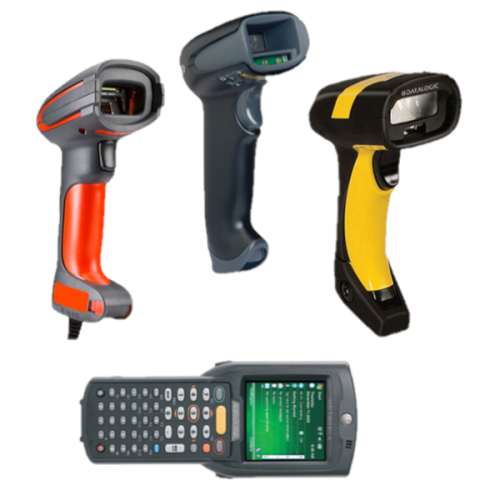
Handheld scanners, wireless scanners, rugged devices, fixed scanners, 1D and 2D barcodes, Bluetooth, Wi-Fi – there are plenty of options available.
But you don't necessarily need to understand every type of scanner before choosing one.
Start by answering three questions:
Answer those and you can quickly narrow down the type of equipment your business actually needs.
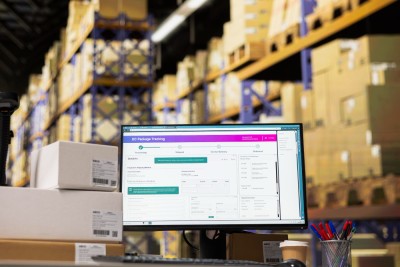
A scanner sitting beside a till has very different requirements from one being carried around a warehouse all day.
Start with the working environment.
Office and retail environments
For a fixed workstation where scanning takes place within easy reach of a computer or till, a straightforward handheld or presentation scanner may be all that's required.
A wired scanner can provide a simple, reliable connection without the need to worry about batteries or wireless coverage.
Warehouses and distribution
Mobility becomes much more important when employees need to move between shelves, pallets, loading bays and dispatch areas.
Wireless handheld scanners or mobile computers allow employees to scan products where they're located rather than bringing items back to a fixed workstation.
Consider the distances employees travel, wireless coverage and how long the equipment needs to operate between charges.
Manufacturing and industrial environments
A standard scanner may struggle in more demanding environments.
Dust, moisture, temperature, repeated handling and accidental drops all need considering. A rugged scanner designed for industrial use may cost more initially but can be considerably better suited to the environment.
Think about the people using it too. Someone wearing protective gloves throughout a shift may have very different requirements from an employee working at an office desk.
Once you've considered the environment, look at what the scanner actually needs to read.
1D barcodes
Traditional linear barcodes – the familiar pattern of vertical lines found on countless products – are known as 1D barcodes.
If your business only needs to read standard 1D barcodes, a relatively straightforward scanner may be sufficient.
2D barcodes and QR codes
Two-dimensional codes can hold considerably more information and include familiar formats such as QR codes and Data Matrix codes.
If your business needs to scan these, you'll require a scanner capable of reading 2D codes.
Many businesses choose 2D-capable equipment even when most of their existing barcodes are 1D, particularly if requirements are likely to change in future.
Barcodes on screens
Will you ever need to scan a barcode displayed on a smartphone, tablet or computer screen?
Not every older scanner handles this equally well, so it's worth establishing before choosing the equipment.
This can be particularly important for digital tickets, vouchers, membership systems and mobile applications.
Damaged, small or difficult-to-read barcodes
The condition and location of the barcode matter too.
If labels regularly become dirty, scratched or damaged, or if you're scanning particularly small or densely printed codes, scanner performance becomes more important.
Similarly, a warehouse employee scanning a barcode several metres away on a high storage location has very different requirements from someone scanning a product held directly in front of them.
Don't simply ask "Can it scan a barcode?"
Ask "Can it reliably scan our barcodes in the conditions in which we actually work?"
The scanner needs to do more than successfully read a barcode. The information it captures needs to reach the system your business uses.
That might be:
USB scanners can be ideal for fixed workstations.
They're straightforward, reliable and don't require charging, making them perfectly suitable where the operator doesn't need to move away from the computer or till.
There's little point paying for wireless functionality if the scanner will spend its entire life sitting next to one computer.
Wireless and Bluetooth scanners
Wireless scanners give operators much greater freedom of movement.
Bluetooth can provide a convenient connection to computers, tablets and other compatible devices, while other wireless technologies can provide greater range depending on the equipment and environment.
Battery life, charging arrangements and operating range should all be considered.
Mobile computers and PDAs
Some applications require more than simply scanning a barcode and sending the number to another device.
Mobile computers and PDAs combine barcode scanning with computing functionality, allowing employees to view information, enter data and interact directly with business systems while moving around a warehouse, factory or other environment.
For stocktaking, picking, goods-in and similar processes, this can be considerably more practical than a basic scanner.
Don't forget your existing software
This is one of the most important considerations when purchasing new scanning equipment.
A scanner might be technically excellent, but that doesn't automatically mean it will work seamlessly with your existing systems.
Before investing in new equipment, establish:
It's much easier to establish compatibility before purchasing equipment than discover afterwards that integration isn't as straightforward as expected.
Wired, wireless or mobile – which should you choose?
There isn't a single best type of barcode scanner.
A simple wired scanner could be exactly right for a retail counter and completely unsuitable for a large warehouse.
Likewise, investing in expensive rugged mobile computers would be unnecessary if employees simply need to scan products beside a fixed workstation.
The best equipment is the equipment that fits the job.
Before choosing, come back to those three questions:
Consider barcode types, scanning distance, label condition and whether codes may appear on screens.
What does it need to connect to?
Consider your computers, mobile devices, network and existing business software.
Get those three things right and choosing the appropriate barcode scanner becomes considerably simpler.
Labelline supplies commercial barcode scanners, PDAs and data-capture equipment for a wide range of business environments.
If you're unsure which equipment is suitable, speak to the Labelline team about where it will be used, what you need to scan and the systems you're already operating. They can help you narrow down the options before you invest in equipment you don't need.
Unit 10 Webber Estates
Webber Road
Liverpool
L33 7SQ